Apple's HomeKit, introduced with iOS 8, promised revolutionary smart home control. Yet, compatible devices were scarce—until now. Philips, the Dutch electronics leader, has fully integrated its popular Hue lighting system with HomeKit. As smart home experts with years of hands-on testing, we've guided countless users to seamless setups. Here's how to unlock Hue's potential.
Philips Hue isn't your average lighting. It features energy-efficient LED bulbs that use far less power than halogens while offering customizable shades, temperatures, and colors.
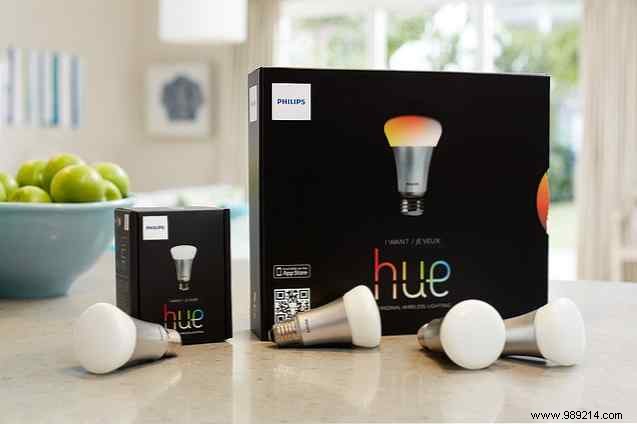
Bulbs connect to a compact bridge—a puck-shaped hub that links to your Ethernet network and controls up to 50 lights via iOS or Android apps.
Launched in 2012, early Hue starter kits lack HomeKit support. You'll need a new bridge. Options include:
Philips Hue White and Color Ambiance 2nd Generation Smart Light Bulb Starter Kit (Old Model, 3 A19 Bulbs and 1 Hub Compatible with Apple HomeKit, Amazon Alexa, and Google Assistant). Purchase now on Amazon.
No new bridge? Hack it with Arduino for custom control, including motion sensors.
Setup complete? Control lights effortlessly with Siri.
Use Siri for simple commands like "Siri, turn off the lights." HomeKit handles bulb-specific tweaks: brightness, color temperature, and presets (e.g., "Siri, reading mode" or "Game time" to dim lights perfectly).
Integrate with other HomeKit devices too—say "Siri, I'm going to bed," and it dims Hue lights while adjusting your Nest thermostat. True smart home magic.
The free official Philips Hue app elevates this further: set wake-up alarms with gradual brightening, geofencing for auto on/off based on location.
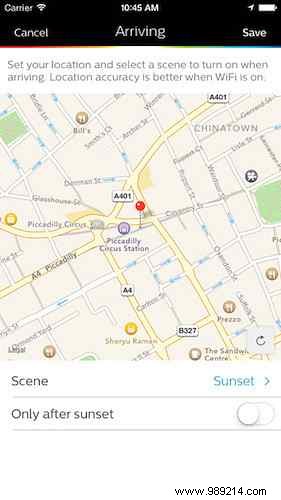
Note: Android Hue app lacks HomeKit.
For advanced control, try third-party apps like Home ($14.99 by Matthias Hochgatterer), compatible with iPhone, iPad, and Apple Watch. It offers granular adjustments for brightness, saturation, and hue, plus rooms, scenes, and Siri triggers.
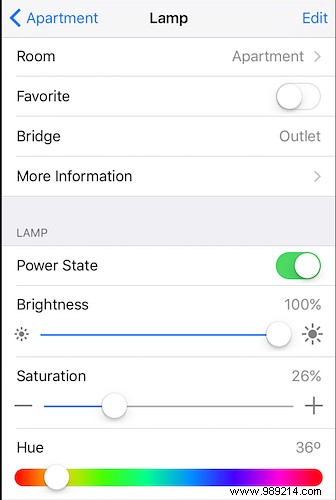
Precision control meets HomeKit power—watch this demo (skip to 1:40).
Walk in and say "Siri, turn on the lights"—it feels like the Enterprise bridge. With commercial tech and HomeKit, we're living the sci-fi dream.
Ready for Philips Hue? Share your thoughts in the comments—we'd love to discuss your setup.
