If you're new to smart home tech and already in the Apple ecosystem, the Ecobee3 Smart Thermostat makes an ideal starting point for your HomeKit setup.
As the smart home market explodes with options, beginners can feel overwhelmed. One key decision is your first device, as it often shapes future purchases. For Apple users building a HomeKit system, the Ecobee3 stands out as a reliable foundation.
While the Ecobee3 also works with Amazon Echo, a common question for newcomers is: What exactly is HomeKit? Apple’s HomeKit framework enables seamless communication between compatible devices via standardized hardware and software.
With multiple HomeKit accessories, you can create scenes—preset device patterns—and advanced automations. All HomeKit devices integrate into the built-in Apple Home app on iOS, accessible from iPhone, iPad, or Apple Watch.
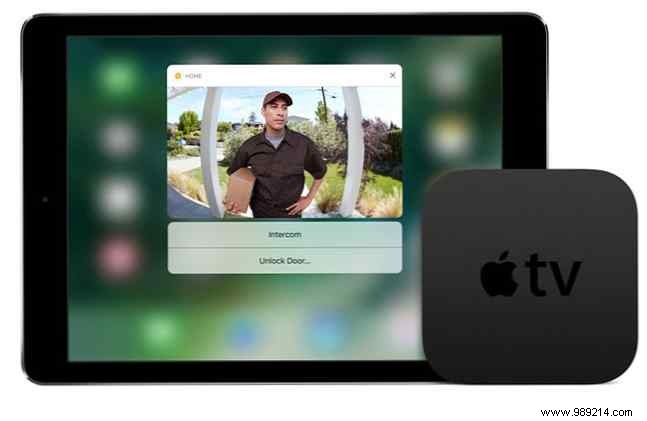
Best of all, control everything hands-free with Siri using 'Hey Siri.' A Home Hub like a 4th-gen Apple TV or iPad on iOS 10+ lets you manage devices remotely via internet.
HomeKit launched in 2015 with basics like lights and switches, now expanding to doorbells, AC units, fans, and humidifiers.
Released in late 2015, the Ecobee3 was the first smart thermostat with HomeKit support. Building on Nest's innovations, it adds standout features.
Unlike Nest's round dial design, the Ecobee3 offers a sleek, modern look with a 3.5-inch touchscreen—like a wall-mounted iPhone.
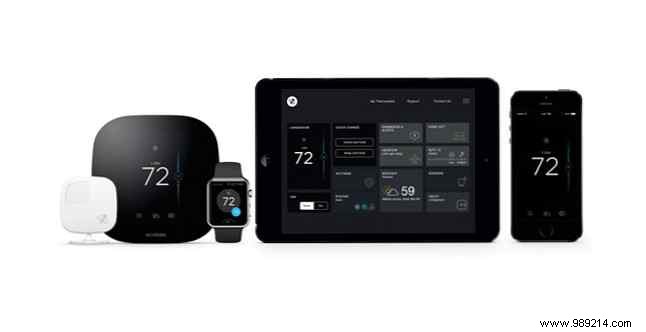
Skip auto-learning; instead, craft custom schedules via the app. Its killer feature? Remote sensors (one included, extras available) that track temperature and motion, powering Follow Me and Smart Home/Away modes.
Installation is the main hurdle, but DIYers with basic skills can handle it—Ecobee supplies most tools (screwdriver/drill extra). Pros cost $100–$200 extra on the $249 price.
Check Ecobee's site for local rebates, like bill credits from energy providers.
The C-wire powers the always-on display showing indoor temp and weather. No C-wire? Use the included Power Extender Kit, though it may need pro help.
ecobee3 Sensor Thermostat, Wi-Fi, 2nd Generation, Works with Alexa. ecobee3 Sensor Thermostat, Wi-Fi, 2nd Generation, Works with Alexa. Buy Now On Amazon $118.00
Self-install takes under 30 minutes: swap wires, mount, and go.
Download the Ecobee app for iPhone/iPad. Answer setup questions, connect to Wi-Fi, then pair with HomeKit via app or Ecobee app—scan the code.
Assign to a room (e.g., living room) for future automations. Configure sensors on-screen.
On iPhone, the app mirrors the thermostat's interface for easy adjustments. Set heating, cooling, or auto; the main screen shows current home conditions—tap the left button to tweak.
Now, the sensors shine. My favorite after over two years: Follow Me. It detects motion and uses that room's temp to adjust HVAC, keeping occupied spaces comfortable regardless of weather.
In Texas, where AC runs 9 months, it eliminates hot/cold spots—my family stays comfy year-round.
Smart Home/Away overrides schedules on motion detection, like early returns from work.
These features justify the cost, especially for larger/multi-story homes—grab extra sensors.
Ecobee Room Sensor 2 Pack con soportes ecobee Sensor de habitaciones 2 Pack con soportes Compre Ahora En Amazon $ 65.46
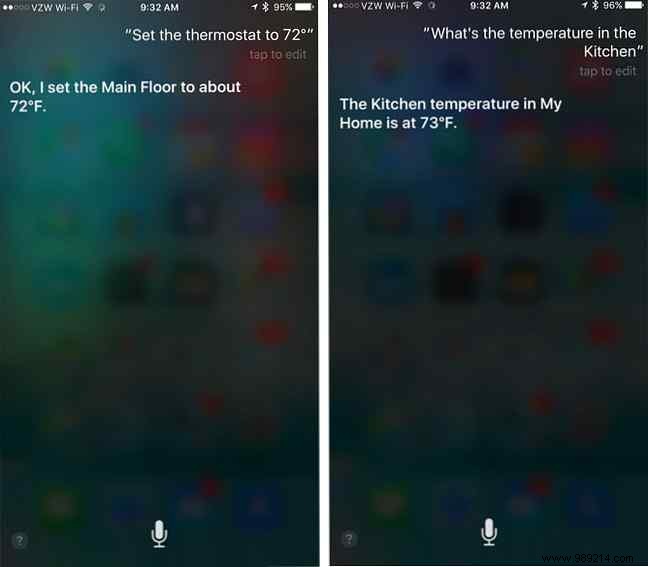
Siri control is a game-changer across iOS devices and Apple Watch. Check Ecobee's site for full commands—query temps, adjust heat/AC.
Building a smart home feels daunting, but starting small eases in. The Ecobee3 pays for itself via energy savings and health benefits from better temp/humidity monitoring.
Pair it with more HomeKit gear for automations and scenes that simplify life.
What was your first smart home device? The right choice? Share in the comments.
