As a parent and tech enthusiast, I haven't yet faced the anxiety of my young son venturing out alone, but I know that day is coming. When it does, I'll rely on reliable tracking tools to stay informed. Technology offers practical solutions to confirm your kids have safely reached home after school. Here are five effective methods I've researched and tested.
IFTTT (If This Then That) is a powerhouse for automating connections between apps and devices. Its mobile app shines with geofencing, which triggers alerts when a phone enters or exits a predefined GPS area, like your home.
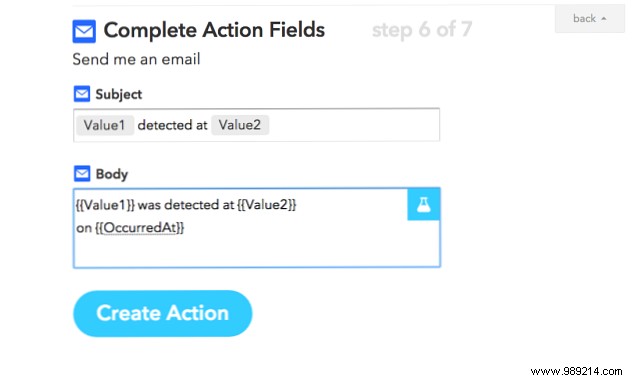
Install the app, create a new applet, and select 'iOS Location' or 'Android Location.' Choose actions such as email notifications, Philips Hue light changes, or smart home integrations. For simplicity, set up a Twitter DM or email alert. Create a separate account for family tracking to avoid mixing personal automations. Note: Requires smartphones with data and GPS.

Dedicated GPS trackers for kids and seniors provide real-time location via apps. They need mobile data, incurring monthly fees, but offer independence from phones.
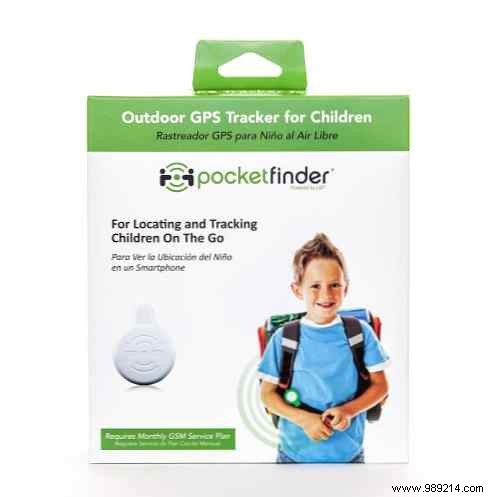
Options include:
PocketFinder: $130 upfront, $12.50/month.
AmberAlert: Similar pricing, with emergency calls but bulkier design.
TBS3203: Kid-friendly watch with SOS to 3 numbers; text-based interaction.
PocketFinder GPS Child Tracker, compatible with iOS and Android.
Amber Alert GPS Locator, Black (AT&T).
TBS®3203 Kids Real GPS Tracker Kids Wrist Watch.
For iPhone users, Find My iPhone offers built-in real-time tracking.
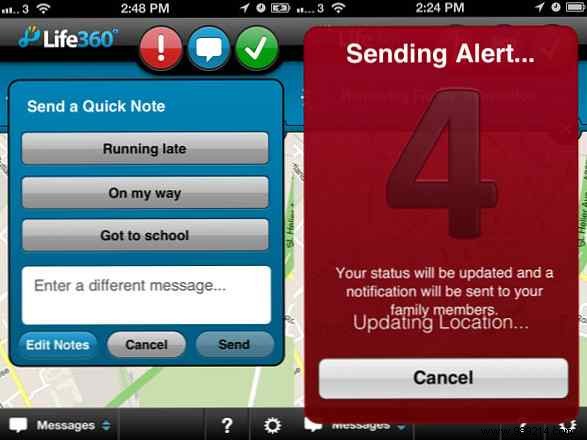
Life360 provides family-focused tracking without password sharing. It's a messaging and alert app with check-ins and status requests, balancing privacy and safety—ideal for busy families.
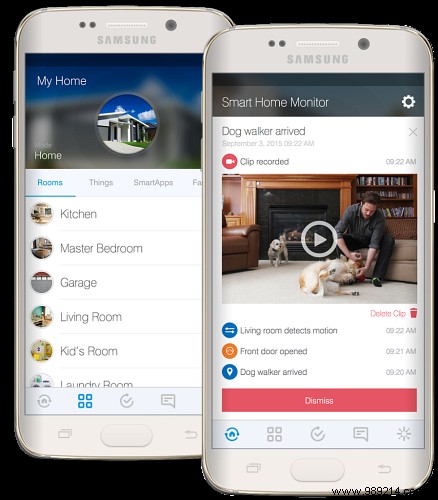
This $30 keychain sensor pairs with a SmartThings hub ($100). Attach to keys or bags; it detects home arrival and triggers notifications or actions. The newer hub v2 adds battery backup and Bluetooth support.
For tinkerers, a Raspberry Pi with Bluetooth detects device proximity. Use open-source software like OpenHAB for advanced setups.
Sample Python script (update Bluetooth address and IFTTT key):
#!/usr/bin/python
import time
import bluetooth
import requests
from requests.exceptions import ConnectionError

state = 'OUT'
while True:
    print "Checking " + time.strftime("%a, %d %b %Y %H:%M:%S", time.gmtime())
    result = bluetooth.lookup_name('YOUR:BLUETOOTH:ADDRESS:HERE:51:1B', timeout=5)
    if (result != None and state != 'IN'):
        print "User present"
        state = 'IN'
        payload = '{"value1": "My Kid", "value2": "Home"}'
        try:
            r = requests.put("https://maker.ifttt.com/trigger/presence/with/key/YOURKEYHERE", data=payload)
        except ConnectionError as e:
            print e
    elif (state != 'OUT' and result == None):
        print "User out of range"
        state = 'OUT'
    time.sleep(10)
Set up an IFTTT Maker channel applet for 'presence' events.
Privacy concerns are valid, but safety often wins out amid daily news risks. What's your go-to solution? Share in the comments.
