Security cameras offer peace of mind by capturing movement when you're away, but you don't need expensive systems. With a USB camera, computer, and free tools, you can create a reliable, low-cost motion detection setup at home—without spending extra.
In this guide, based on years of testing DIY surveillance solutions, we'll connect USB cameras to a central computer for motion detection and instant email alerts. Activity logs will automatically save to Google Sheets for easy monitoring.
Any webcam software with motion-triggered email alerts works, but I recommend Webcam Monitor—a tool I've reviewed extensively, including for creative projects like ghost hunting with your browser. Note: The free version limits monitoring to two hours, so consider the affordable premium upgrade for uninterrupted use.
Essential components:
This setup runs on older PCs, even Windows Vista. Install and launch the software; connected USB cameras appear as icons on the right panel. (What is USB Type-C?)
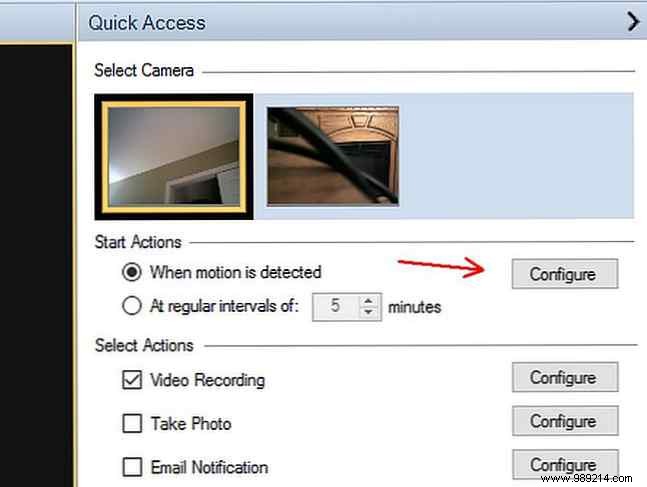
Select a camera, choose When motion is detected under Startup Actions, and click Configure. (Great ways to use motion sensors at home)
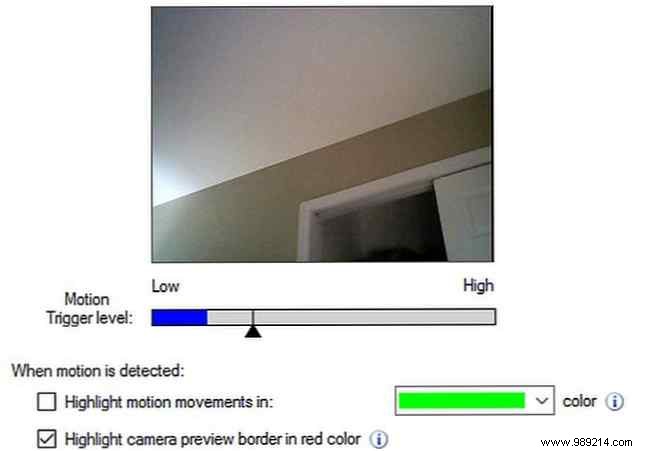
Adjust sensitivity per camera: Point it at your target area, let the blue bar stabilize on ambient 'static' movement, then set the black slider slightly above. Test with people and pets walking by—ensure the blue bar exceeds the slider for humans but not small animals.
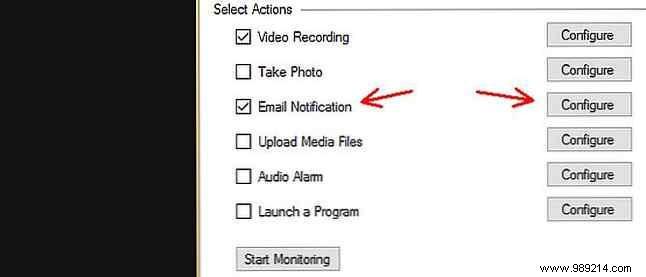
Back on the main dashboard, enable Email Notification for each camera and configure it.
Use Gmail for simplicity: Set SMTP server to smtp.gmail.com with SSL. Check provider-specific settings. (Email server settings for major providers)
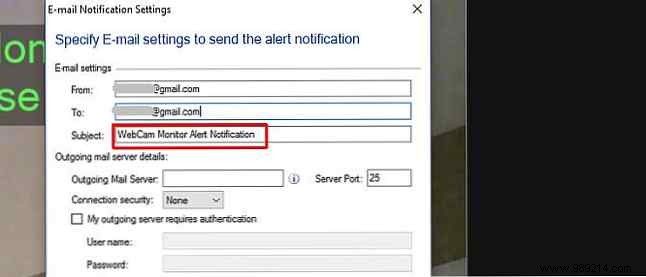
Repeat for all cameras.
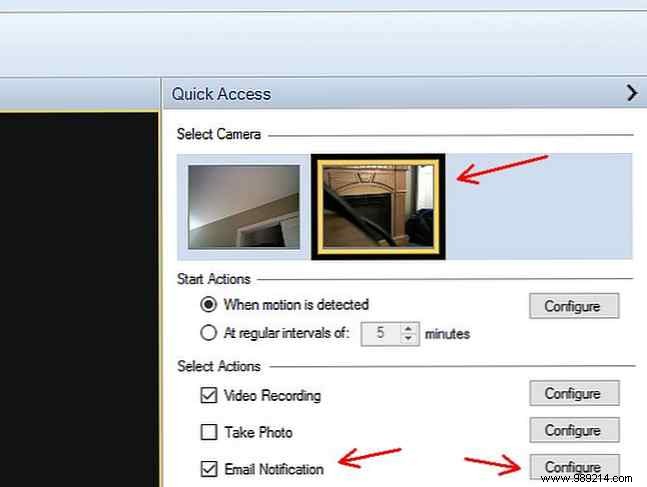
Your cameras now send email alerts. Next, log them to Google Sheets.
Test emails first. Use unique subject lines per camera, e.g., “WebCam Monitor Alert #1” and “#2”. (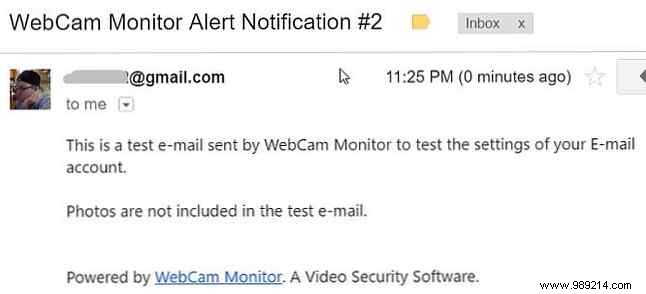 )
)
In IFTTT, create an applet: Gmail trigger New email in search inbox, searching specific subjects. (Automate learning with IFTTT)
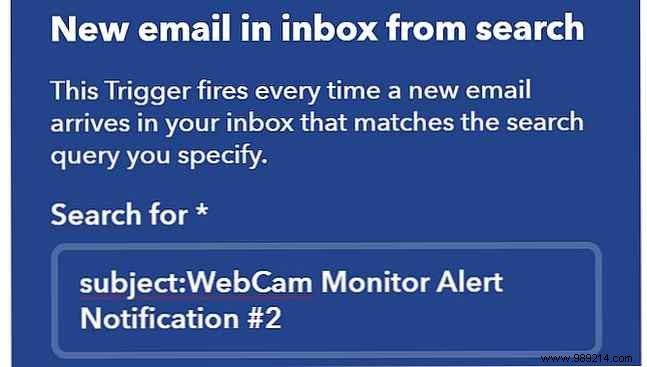
Action: Google Drive > Add row to spreadsheet. Map fields like timestamp and attached photo link.
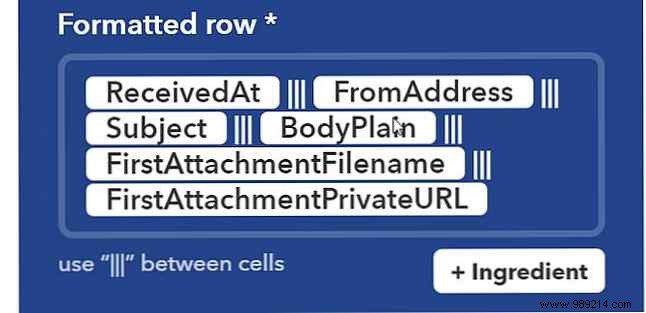
Choose or create a memorable spreadsheet path for mobile access.
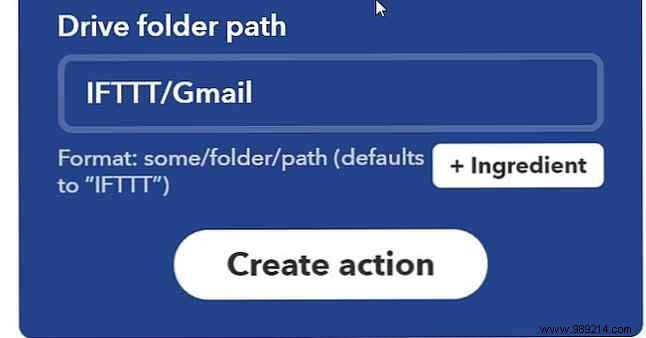
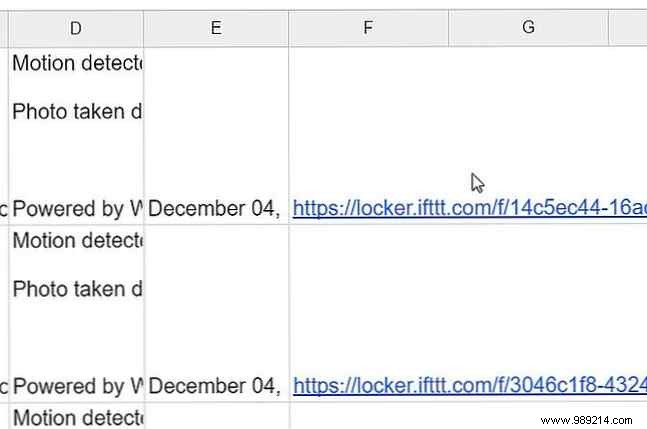
Events now populate your sheet, with photo links stored securely.
This is one of the cheapest home monitoring systems. Revive an old PC (with LXLE Linux) and add inexpensive USB cams—zero new purchases if you have spares.
Pro tips from real-world setups:
Professional systems can have vulnerabilities (home security hacks). This DIY approach is simple, secure, and ready in under 30 minutes—no coding required.
Ready to try? Set it up and share your results in the comments!
