Google Home is more than a voice assistant—it's your gateway to a futuristic living room entertainment system. As someone who's integrated it into my own setup for years, I've seen it evolve into a seamless controller for streaming services, rivaling devices like Amazon Echo.
Pair it with Chromecast to launch Netflix shows, Spotify playlists, or movie rentals entirely hands-free—no remote required. While integration starts with key services, Google's track record suggests rapid expansion ahead.
To build this setup, ensure your Google Home, Chromecast, and phone are on the same Wi-Fi network. Open the Google Home app, navigate to Settings > More settings > TV and speakers. Here, manage connected smart devices and add new ones.
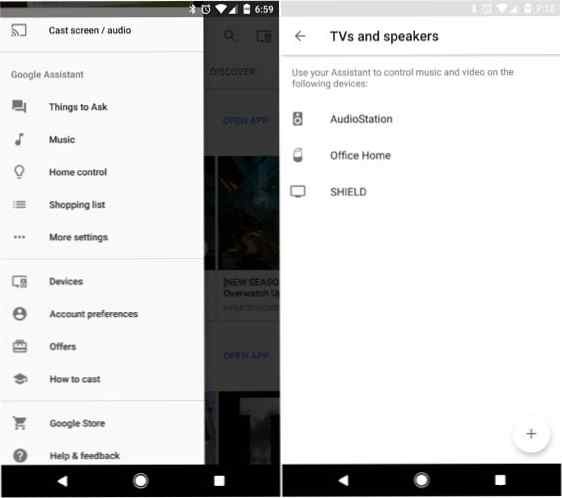
Tap the + button, select your Chromecast (like a Chromecast Ultra), and follow prompts. This unlocks voice commands for streaming video and audio to your TV or speakers.
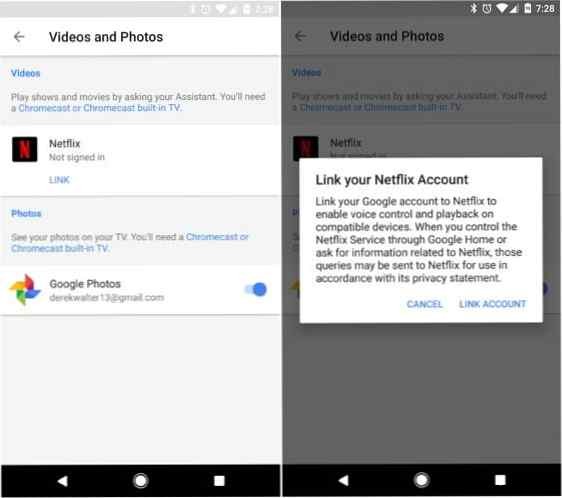
Link accounts in the Google Home app under Videos & Photos. For Netflix, tap Link and sign in.
Try commands like: "OK Google, play Stranger Things on Chromecast". It resumes where you left off or starts from episode one. For YouTube: "OK Google, show me cat videos" or "OK Google, show me videos of The Late Show with Stephen Colbert."
Control playback with "OK Google, pause" or "OK Google, resume." Be patient—occasional glitches happen, but a repeat command usually fixes it. This hands-free magic hints at entertainment's future.
For audio, use Chromecast-enabled speakers or Chromecast Audio. Supported services: Spotify, Google Play Music, YouTube Music, Pandora, iHeartRadio (premium accounts often required).
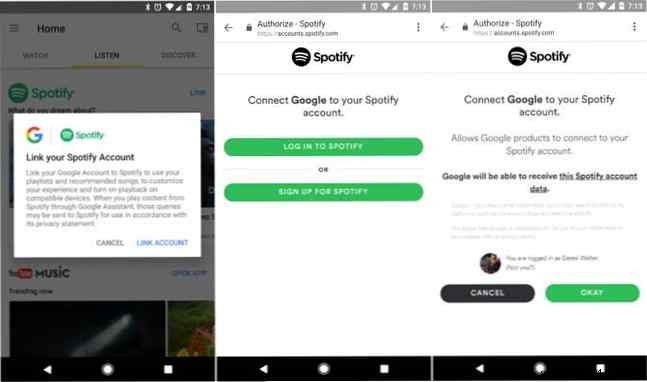
In the app, go to Settings and devices > Music, link accounts like Spotify.
Commands: "OK Google, play today's hits on Chromecast Audio" or "Hey Google, play Starboy by The Weeknd." Playback controls include play, pause, and repeat. News and podcasts stay on Google Home for now.
Download the Google Home app for iOS or Android as your visual dashboard.
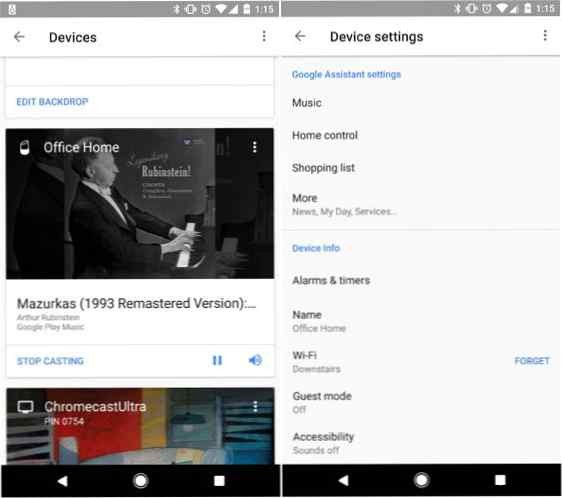
View what's playing, including album art on Android TV or Chromecast. Tune into radio: "OK Google, play KQED" or "play ESPN Radio." Google Home's speakers deliver solid sound, though bass can overpower—EQ options are coming.
Elevate with smart lights like LIFX bulbs: "OK Google, turn off the lights." Use WeMo plugs for non-smart devices: "OK Google, turn off my TV."
During movies, ask trivia: "OK Google, who plays Gaston in Beauty and the Beast?" No more pausing to search.
Google Home is just starting to dominate home entertainment. Despite early quirks, it's poised to be your all-in-one voice controller for TV and music.
