Technology can transform daily life, yet many hesitate to integrate it into their homes due to common pitfalls. Unlike business tech with formal training, home automation often leaves users frustrated without guidance.
As a seasoned smart home installer with years of hands-on experience, I've helped countless homeowners avoid these issues. Think of this guide as your essential smart home primer—proven fixes to save time, money, and headaches before you dive in.
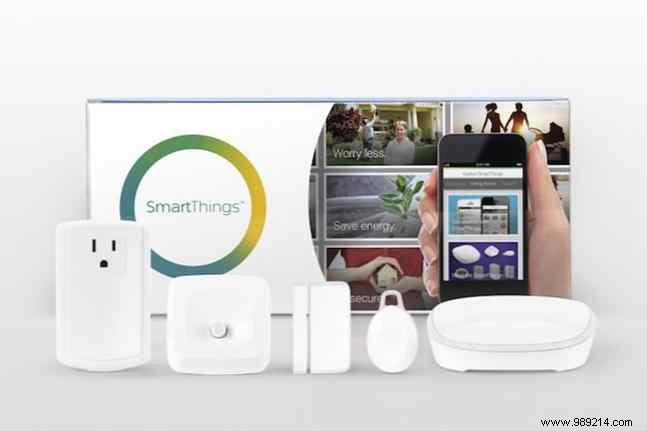
Today's home automation devices—from security cameras and smart locks to thermostats, lights, and switches—rely on mobile apps and stable Wi-Fi. Poor network setup leads to constant failures and troubleshooting marathons.
Review each device's requirements upfront and ensure your home Wi-Fi supports them. Most smart devices need reliable connectivity but low bandwidth. If your router is outdated, replace it. For security, follow guides like How to Configure Your Router for a Secure Home Network—default settings expose you to bandwidth thieves and risks. Read more.
Update your router's firmware too. Otherwise, you could face compatibility issues during setup.
Many smart products need a hub for optimal performance or multi-device coordination. Buyers often overlook this, leaving devices unusable until they purchase an extra hub.
Hubs connect via Ethernet to your router and cost about $50 in starter kits. They're common for smart lighting (e.g., Philips Hue) or all-in-one systems (e.g., Samsung SmartThings, Lowe's Iris). Security cams and locks often don't require them.
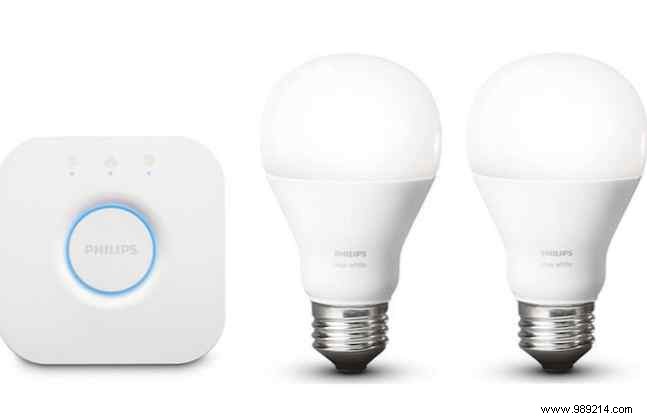
Multiple hubs are fine performance-wise, but avoid overlap. Stick to one ecosystem for lighting, for example—don't mix brands.
Smart home upgrades add up fast. Single items like door locks or heating systems can hit $200, and new releases tempt constant upgrades. Check Philips Hue Alternatives: Cheaper Smart Bulbs That Save Money. Read more.
Factor in needs and locations. Ask:
Pro Tip: Watch for Hidden Fees! Security systems often charge $10/month for premium features. See Why Nest, Canary Premium Accounts Are Worth It. Read more. Basic video is free but clips expire in 24 hours—subscriptions extend storage.
Excitement leads to impulse buys without checking compatibility, resulting in unused gadgets or extra shopping.
Confirm products work with your phone, hub, and existing setup. Modern iPhones and Androids are usually fine—check manufacturer sites. Explore Top SmartThings-Compatible Devices. Read more.
Pro Tip: Check Wiring! For smart thermostats, ensure electrical compatibility—consult the manufacturer.
Smart lights are plug-and-play, but thermostats and locks may require wiring skills and tools.
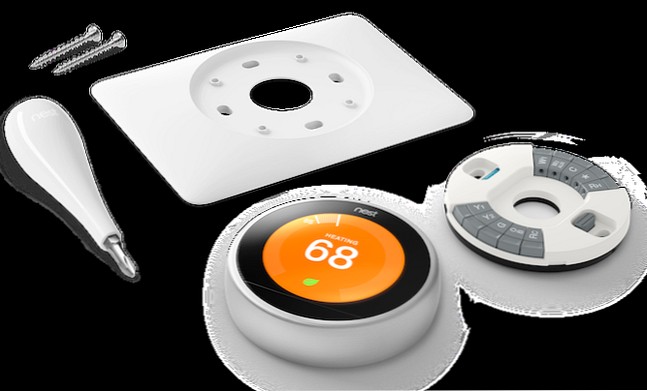
Study product specs. For complex installs, hire certified pros listed on manufacturer sites with quoted fees. DIY? Use YouTube and official guides.
Devices offer features beyond basics—dismissing them limits value and leads to redundant buys.
Explore online videos from makers and users. Find them on support pages, YouTube, or contact support.
For example, I installed an Igloohome Smart Deadbolt 02 for basement access. YouTube revealed advanced features I nearly missed.
Worth the Time? Yes—deeper knowledge maximizes family benefits.
Post-install, ongoing care is key, like home upkeep.
Install firmware and app updates promptly. Security patches are critical to avoid vulnerabilities.
Hacking is rising—weak passwords are easy targets. Use password managers: How Password Managers Keep You Safe. Read more.
I change mine biannually with daylight savings. Use unbreakable ones: 6 Tips for Uncrackable, Memorable Passwords. Read more. Secure Wi-Fi and assess risks: Smart Home Hacking: Secure Your Devices. Read more.
I love new tech but know the learning curve. Smart homes simplify life—if prepared. Research pre-purchase, then learn post-install to unlock full potential. See 4 Smart Reasons to Skip the Smart Home Hype. Read more.
What smart devices do you have? Easy installs? Share in comments!
