Secure your home office or workshop effortlessly with this professional-grade DIY smart lock. It automatically unlocks when your smartphone is nearby via Bluetooth and locks securely when you leave—keeping children or unwanted visitors out without keys or codes.
How it works: Bluetooth proximity sensing. Your phone broadcasts its presence, detected by a Raspberry Pi, which controls a relay to engage the lock.
Your smartphone constantly emits Bluetooth signals. Even in non-discoverable mode, a known device address allows pinging for presence. We'll use a Raspberry Pi with a Bluetooth adapter to monitor range (about 4m). When out of range, it triggers a relay to lock the door.
Bluetooth is core—install support and test your adapter via SSH (How to configure your Raspberry Pi for headless SSH).
sudo apt-get install bluez python-bluezCheck adapter:
hcitool devScan for devices (one-time):
wget https://raw.githubusercontent.com/karulis/pybluez/master/examples/simple/inquiry.py
python inquiry.py
If no devices, ensure phone is discoverable (e.g., open Bluetooth settings on iPhone). Note your phone's MAC address from output.
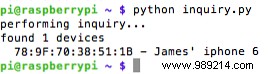
Create detect.py:
nano detect.pyPaste (replace MAC with yours):
#!/usr/bin/python
import time
import bluetooth
while True:
    print "Checking " + time.strftime("%a, %d %b %Y %H:%M:%S", time.gmtime())
    result = bluetooth.lookup_name('78:7F:70:38:51:1B', timeout=5)
    if (result != None):
        print "User present"
    else:
        print "User out of range"
    time.sleep(10)
Save (Ctrl+X, Y), run: python detect.py. Toggle phone Bluetooth to test. Scans every 10s balance responsiveness and power use.
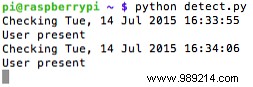
As a seasoned Pi builder, note: Frequent scans may impact phone battery; add a manual toggle switch for inside use.
Use BCM mode (GPIO numbers, e.g., on breakout boards) or BOARD (physical pins). This guide uses BCM (matches my Adafruit cobbler).
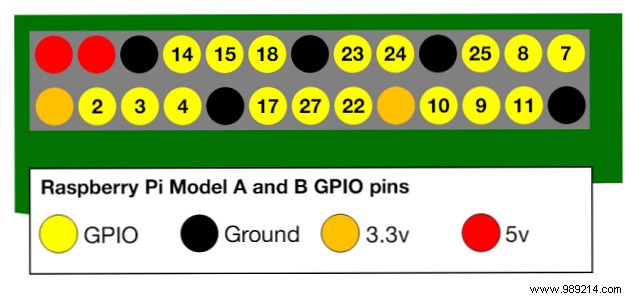
Check your model: Rev1/2, B+, Pi2 vary (StackExchange pin diagrams).
Connect cobbler: Pi pins 1/2 to 3v3/5V0. Test voltages.
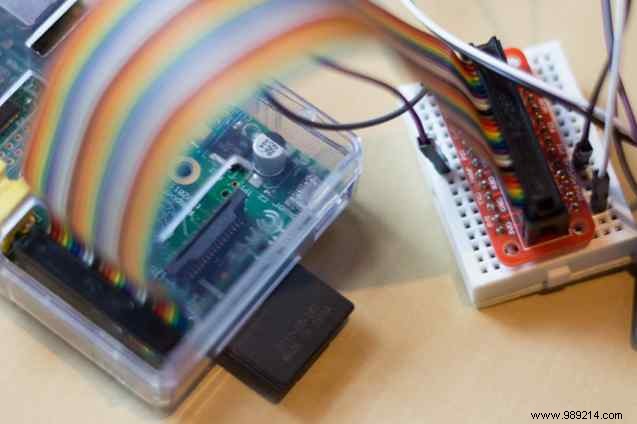
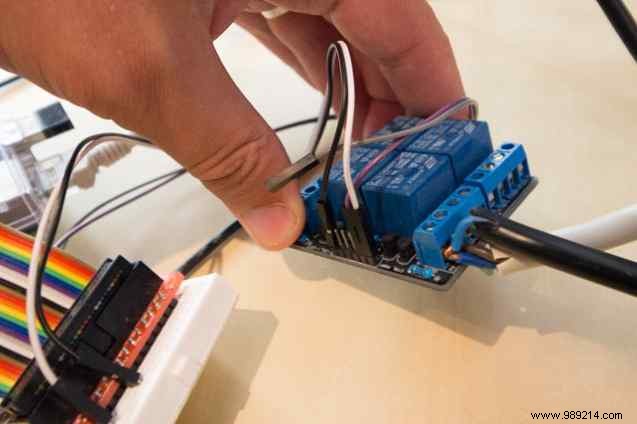
Wire relay: 5V0 to VCC, GND to GND, GPIO23 (BCM) to IN1. Test relay compatibility (some need 5V; mine works at 3.3V: Getting Started with GPIO on Raspberry Pi).
Install wiringPi:
git clone git://git.drogon.net/wiringPi
cd wiringPi
./build
Set GPIO23 output:
gpio -g mode 23 out
gpio -g readall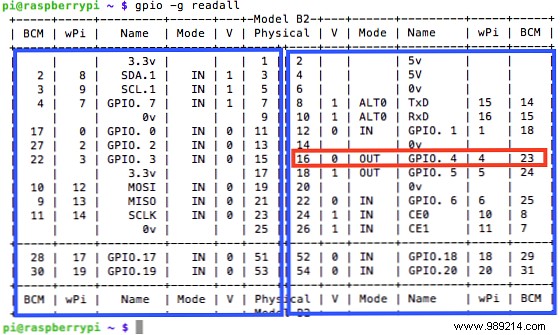
Test: gpio -g write 23 1 / 0. Hear click? Good.
Install Python GPIO: sudo apt-get install python-dev python-rpi.gpio
Copy to lock.py, add:
import RPi.GPIO as GPIO
GPIO.setmode(GPIO.BCM)
RELAY = 23
GPIO.setup(RELAY, GPIO.OUT)
In if/else:
GPIO.output(RELAY, 1) # Adjust for your relay's active stateRun: sudo python lock.py. Full code: Gist.
Relay: 12V+ to COM, lock+ to NO, GND common.
Mount per instructions; use brackets for thin/inward doors.
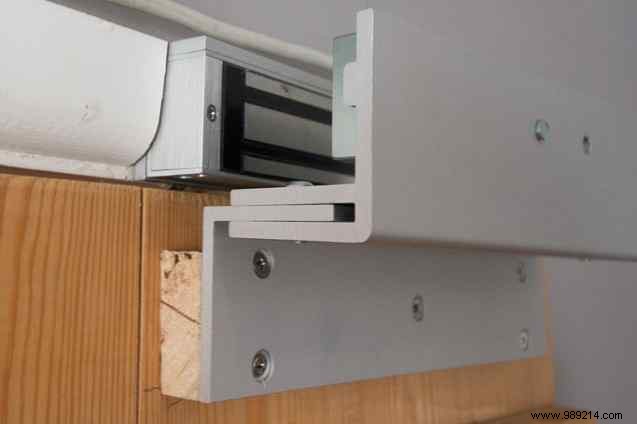
This reliable proof-of-concept secures casual access. For robust security: add UPS battery, deadbolt, and physical barriers.
Bluetooth proximity extends to garage doors or lights. Share your builds or issues in comments—happy to assist from my years of Pi projects!
